Course
Analytic Design Project
Duration
Oct. 2025 - Feb. 2026
Team
Natalie Gröner, Jessica Messer, Nina Papadopoulos
Recognition
UX Design Award Gold
My Tasks
#Field Study #User Interviews #Prototyping #User Testings #Interview to Insight #Interaction Concept #Interface Design

avio - touch and go
Developing an integrated interface for air traffic controllers for safer and more efficient coordination of landings and take-offs
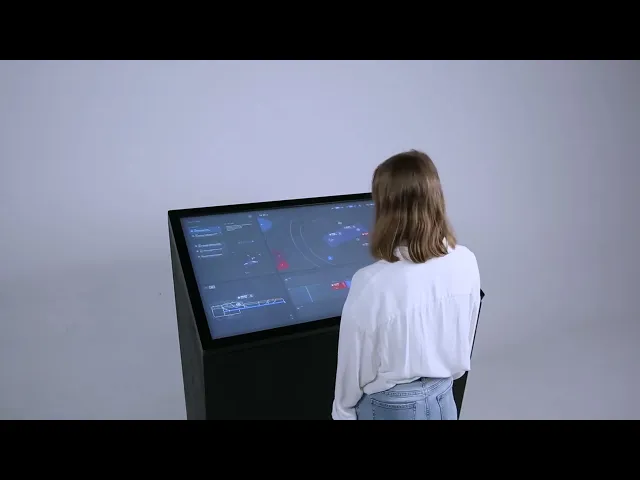
UX Design Award Gold winning concept - explained in 2.5 minutes
IMPROVING AIR TRAFFIC CONTROL
avio integrates individual systems on a single touch screen and combines them with a touch pen that provides tactile feedback. The concept supports the controllers’ mental model, improves situational awareness and reduces cognitive and physical workload in high-pressure situations.
Researching the environment - Tower Field Studies: watching, listening and empathising
The process started with field studies at Stuttgart tower, where our team had the opportunity to do multiple shadowings during shifts to understand the environment and empathise with users. We looked into all the used systems and interfaces and had lots to learn while asking the ATCs about their workflows and decision making.
Additionally, ATCs and stakeholders such as pilots and technicians were interviewed. Thus, building the backbone of an holistic understanding of the complex field.


Field study, tower Stuttgart Airport
Current work station setup: six systems for one person
The tower setup has many different components all used to properly control and coordinate traffic. There are six different monitors in use, all with individual interfaces and additional controls. A single ATC operates them simultaniously.
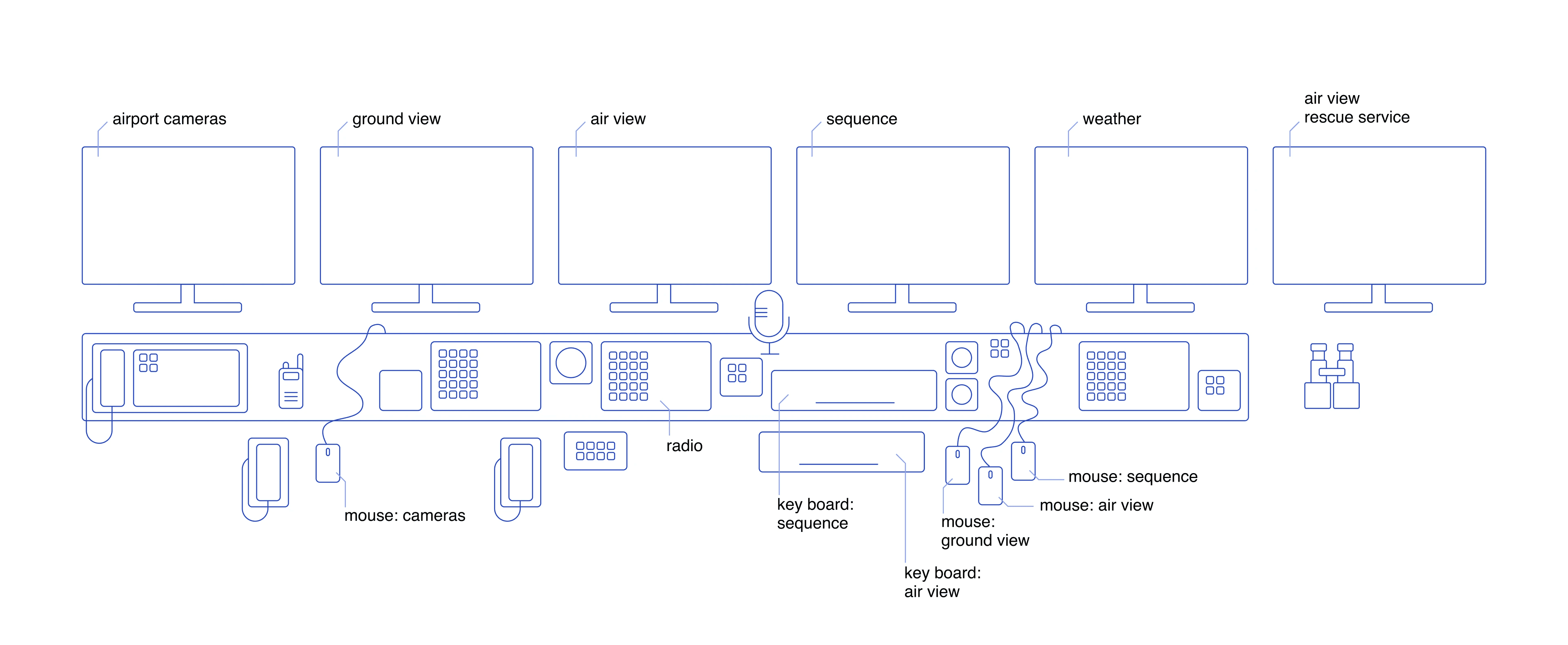
Controller Work Station Setup - Systemic Illustration
Understanding an expert user’s mental model
We went on to interview ATCs to gain more knowledge on their daily tasks and unusual challanges they have to master. Most importantly: the mental model they use to plan the flight coordination. Amongst ATCs, it is called “the picture”.
This is what a “picture” can look like, drawn by an ATC during an interview. They described it as follows:
"I usually have a plan for the next five minutes of what’s going to happen."

The "Picture" drawn by an ATC during an interview

Process of keeping "Picture" up to date - according to user description during interviews
Analysis - identifying risks and opportunities
All six separate Systems were thorughly analyzed following the filed studies and interviews. While looking for strengths, weaknesses and opportunites, some dangerous features were unveiled as well, such as users being only able to use the “Undo” button once per action, therefore being restricted in flexibility and unable to fix mistakes.


Key User Insights
Scattered systems do not align with the ATC's mental model
Input devices decrease user's situational awareness
Primary information such as timings and distances are not represented in the systems
IMPROVING AIR TRAFFIC CONTROL
How might we integrate key systems to increase air traffic controllers situational awareness and make their work safer, more efficient and more intuitive?
During the first ideation sessions, the work station and interaction concept were kept completely open. Many futuristic ideas came to mind, including VR or head up displays using gesture control.

Build, Test, Improve, Repeat
However, the most sensible solution seemed to be a single-screen design. Therefore, paper prototypes were created to test whether everything could be arranged meaningfully within the limited space.

Paper Prototype for integrated layout

Paper prototype collection of sequencing variants
The concept went through 6 iteration states, each including a user testing, gathering feedback and evolving the product until our users could confidently use it

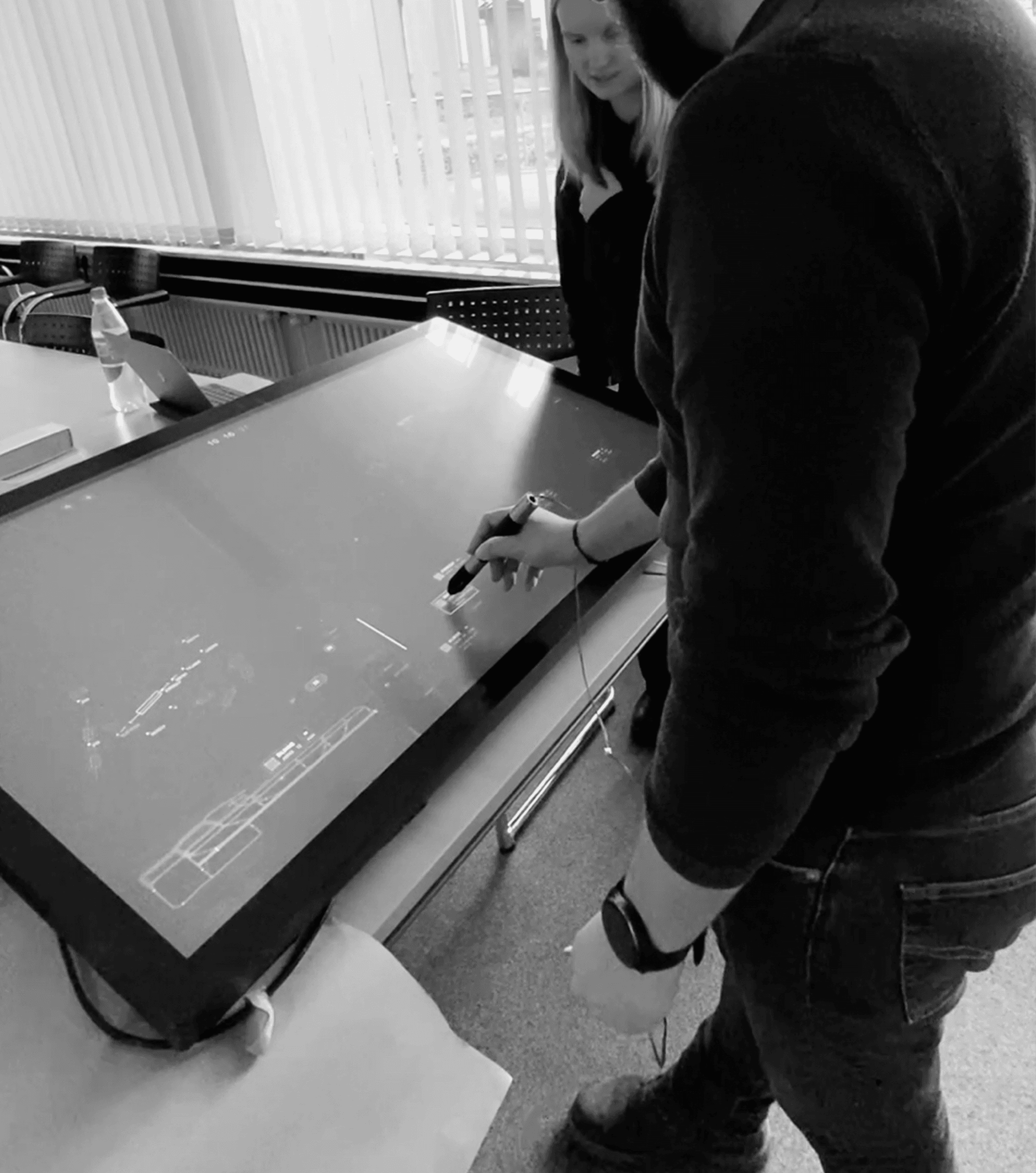

Different stages of prototypes during user testing sessions
Unified, clear design system
After sucessful testingst, the design system was completed. It focuses on clear visual language, color coing and readability of the font.

Excerpt from avio design system
The integrated work station - future tower concept
avio combines six previously separate systems into one, allowing ATCs to have direct access to primary information on the screen. The unified interface and gesture-based inputs significantly reduce the number of clicks and screen transitions needed for standard actions.

All central tower functions combined on 49-inch touchscreeen
Eliminated tool-switching and synchronized key information
The huge benefit is combinig information directly where it is needed, such as pairig the planes flight data with its planned position on the sequence. This allows direct comparison and faster recogniting, should the data call for the sequence to be modified.

avio interface in full screen
Intuitive Interactions supporting user’s mental model
Every function is quickly available via a universal, single touch pen. The most prominent actions are intutive, fast, and align with ATC’s mental model, the picture.
Those include swiping up and down for take off or landing clearances, and quick swipes to update a planes status to the next one in line, always keeping a clear overview of what is planned an what is about to happen next.

Updating plane status via swiping on the avio functional prototype
Increased efficiency in sequencing timeline
A new timeline adds value and efficiency by showing the current sequence in correlation to real time, making spacing and safety distances visible.

Close up of new interactive timeline showing updated flight control strips used for sequence planning
Improved situational awareness via tactile feedback
The avio touch pen offers feedback without losing sight of planes outside the windows. Actions are verified via tactile feedback, letting users know if their task was successful.
Additionally, errors and emergencies have their own haptic pattern, leaving no room for missing critical situations.

Touch pen providing tactile feedback using an acutator (Proportions due to electronics, not a design prototype)
Faster response in emergency situations
For critical situations, relevant information is significantly highlighted, guiding the ATC to a solution fast and direct, without distractions.

Information hierarchy in emergency situations
Recognition and Achievements
Winner UX Design Award Gold New Talent 2025

Lightning Talk on avio process and product @ Push UX 2025

New Talent Pitch on avio @ IDZ Member Circle 2026